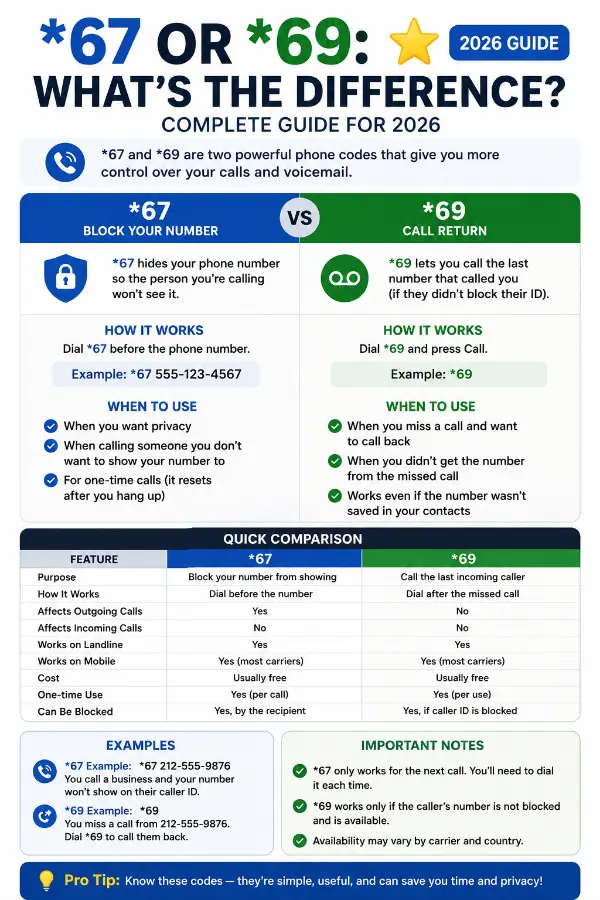
*67 or *69 are two popular telephone star codes that serve different purposes. Many people still use these codes today, even with smartphones. However, many users confuse them. Knowing the difference can help you protect your privacy or identify missed callers.
In simple terms, *67 hides your caller ID before making a call, while *69 lets you call back the last number that called you. Although both codes begin with a star, they perform completely different tasks. This guide explains how each code works, when to use it, and which one fits your needs. By the end, you will understand the difference between *67 and *69 with confidence.
Quick Summary
- *67 blocks your caller ID for one outgoing call.
- *69 calls back the last number that called you.
- Both are telephone star codes.
- They work differently depending on your phone carrier.
- Some mobile networks may not support these codes.
- Always check with your service provider before using them.
What Does *67 Mean?
*67 is a telephone feature that hides your phone number when making a call.
After dialing *67, enter the phone number you want to call.
The person receiving your call usually sees:
- Private Number
- Unknown Caller
- Blocked
- No Caller ID
This feature works for one call only.
Example
Dial:
*67 555-123-4567
Your number stays hidden for that call.
What Does *69 Mean?
*69 is a call return feature.
It automatically dials the last number that called your phone.
If you missed an important call, *69 helps you return it quickly.
Some telephone companies also announce the last caller’s number before connecting the call.
Example
Someone calls you.
You miss the call.
Dial *69.
Your phone tries to call that number back automatically.
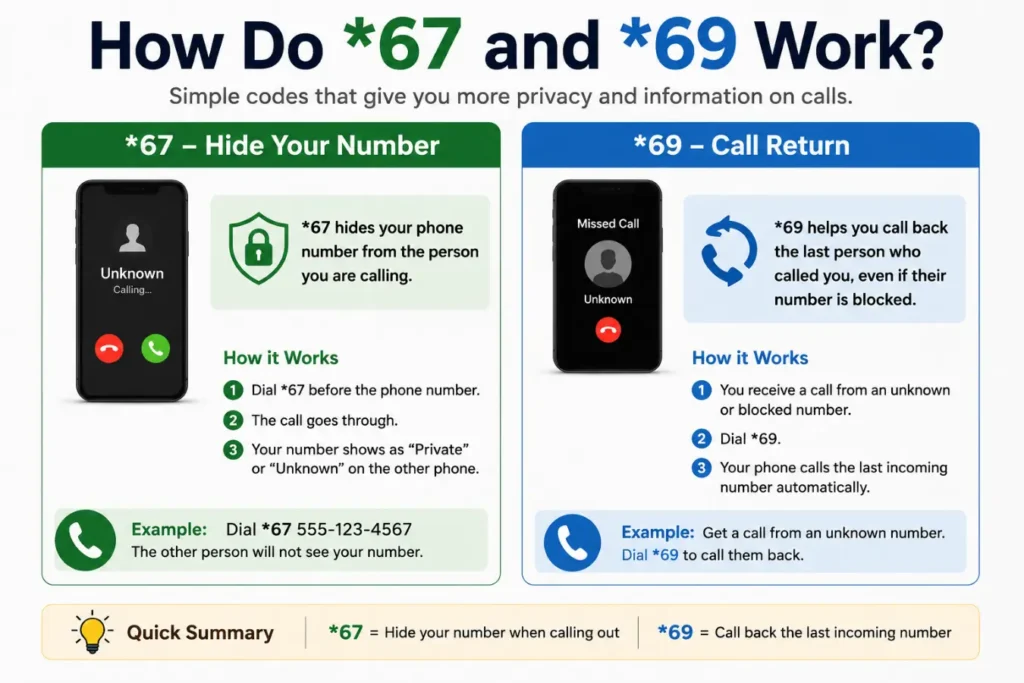
How Do *67 and *69 Work?
Both codes activate special phone services.
However, they perform different actions.
*67
- Hides your caller ID
- Works before making a call
- Protects your privacy
*69
- Finds your last incoming caller
- Calls that number back
- Helps recover missed calls
Although they seem similar, they solve different problems.
*67 vs *69 Comparison Table
| Feature | *67 | *69 |
|---|---|---|
| Purpose | Hide Caller ID | Return Last Call |
| Used Before Call | Yes | No |
| Used After Missed Call | No | Yes |
| Shows Your Number | No | Yes |
| Privacy Feature | Yes | No |
| Calls Last Caller | No | Yes |
| Common Use | Anonymous calling | Returning missed calls |
When Should You Use *67?
Use *67 when you want extra privacy.
Common situations include:
- Calling someone you do not know
- Contacting a business
- Selling items online
- Returning classified ads
- Protecting your personal number
Remember, emergency services usually still receive your phone number.
When Should You Use *69?
Use *69 when you miss an important phone call and want to return it quickly.
This feature can save time because you do not need to search through your recent calls.
Common situations
- You missed a business call.
- A friend called but did not leave a voicemail.
- You want to return a landline call quickly.
- You answered too late and the caller hung up.
Keep in mind that *69 only works if your phone carrier supports the feature.
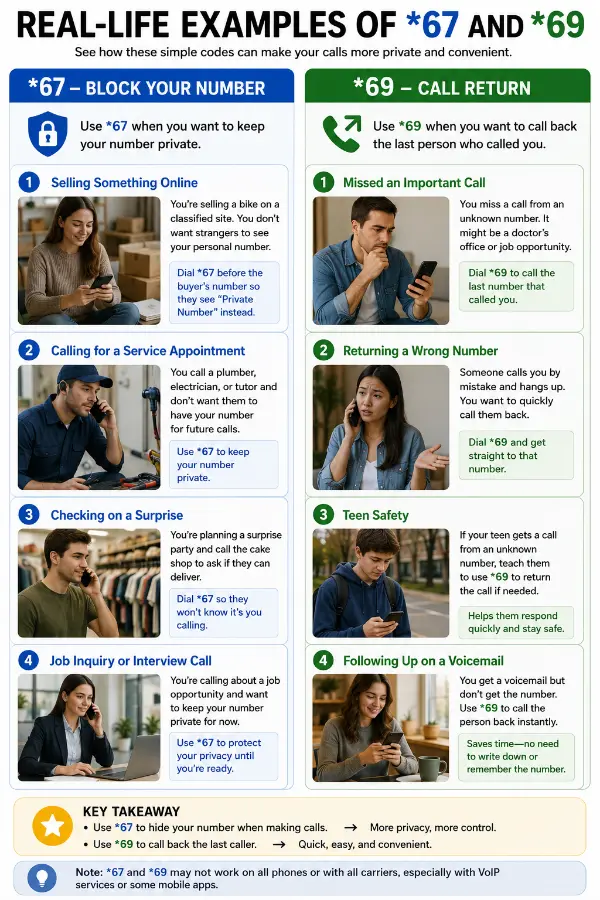
Real-Life Examples of *67 and *69
Understanding these star codes becomes easier with everyday examples.
Example 1: Selling an Item Online
Sarah is selling a bicycle online.
She does not want strangers to see her personal phone number.
She dials *67 before calling a buyer.
Her caller ID stays hidden.
Example 2: Returning a Missed Call
John hears his phone ring once.
He misses the call.
Instead of guessing who called, he dials *69.
His phone automatically calls the last incoming number.
Example 3: Calling a Business
Emma needs to ask a company a question.
She prefers to keep her number private.
She uses *67 before dialing.
Example 4: Missed Family Call
David notices a missed call from an unknown number.
He uses *69 to reconnect with the caller.
Common Mistakes People Make
Many people misunderstand how these star codes work.
Here are the most common mistakes.
Mistake 1: Thinking *67 Blocks Incoming Calls
It does not.
*67 only hides your caller ID when you make a call.
Mistake 2: Believing *69 Reveals Every Caller
Not always.
Some private or blocked numbers cannot be returned using *69.
Mistake 3: Using *67 Permanently
Many users think *67 blocks caller ID forever.
It only works for one outgoing call.
Mistake 4: Assuming Every Carrier Supports Both Codes
Not every mobile provider offers these services.
Always check your carrier’s features.
Tips for Using *67 and *69
Follow these simple tips for the best experience.
- Learn which star codes your carrier supports.
- Use *67 only when privacy matters.
- Use *69 soon after missing a call.
- Check your phone’s call history first.
- Save important contacts to avoid relying on *69.
- Respect privacy laws when making anonymous calls.
These habits help you use both features wisely.
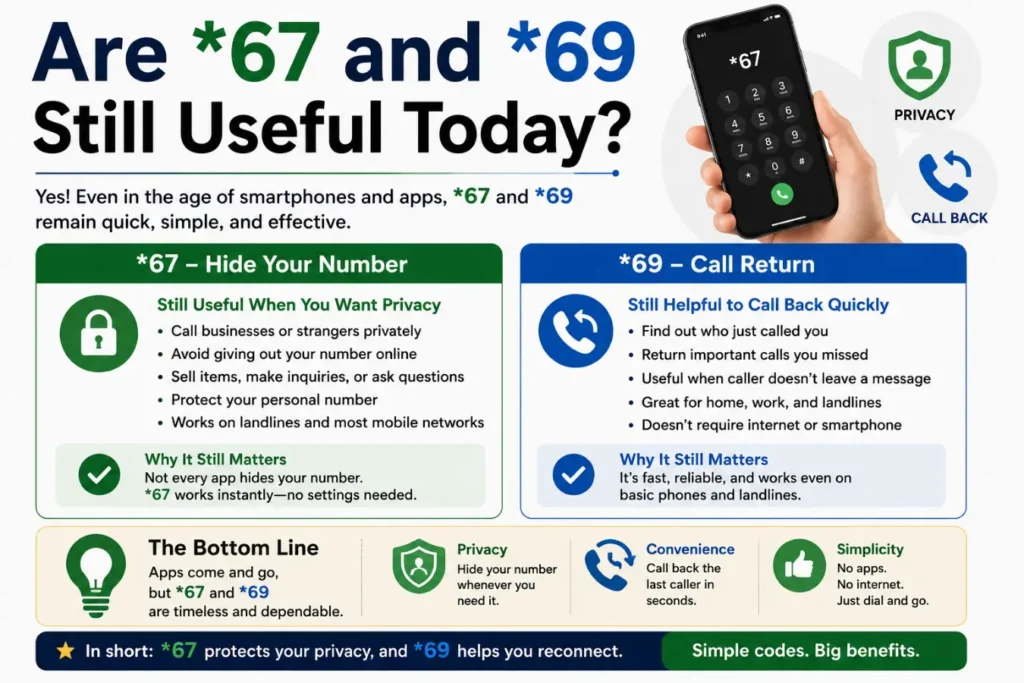
Are *67 and *69 Still Useful Today?
Yes, but their importance has changed.
Modern smartphones include many built-in features.
For example:
- Caller ID
- Call history
- Blocked numbers
- Spam call detection
- Voicemail
- Call-back buttons
Even so, many landline users and some mobile customers still use *67 and *69 because they are simple and fast.
*67 or *69: Which One Should You Choose?
Choose the feature that matches your goal.
| Your Need | Best Choice |
|---|---|
| Hide your phone number | *67 |
| Call back your last caller | *69 |
| Increase privacy | *67 |
| Return a missed call | *69 |
| Make an anonymous call | *67 |
| Find your recent caller | *69 |
The two codes do not compete.
Instead, they solve different problems.
Related Terms and LSI Keywords
Including related terms helps readers understand the topic better.
Related keywords
- star codes
- telephone feature codes
- caller ID blocking
- anonymous calling
- private number
- blocked caller ID
- last call return
- missed call callback
- phone dialing codes
- call privacy
- call return service
- mobile phone star codes
- landline phone features
- caller identification
- call management
These keywords naturally support the main topic without overusing the primary keyword.
Expert Insights: Why Understanding *67 and *69 Still Matters
Although smartphones offer many advanced calling features, *67 and *69 remain useful. Many businesses, landline users, and mobile customers still rely on these star codes.
From a communication expert’s perspective, knowing these features can improve both privacy and convenience.
Why this topic matters
- It helps protect your personal phone number.
- It makes returning missed calls easier.
- It improves your understanding of phone features.
- It helps you choose the right calling option.
EEAT Tip
Always verify whether your phone carrier supports *67 and *69. Features vary by provider, plan, and location.
(FAQs)
1. What does *67 do?
*67 hides your caller ID for one outgoing call.
2. What does *69 do?
*69 calls back the last number that called your phone, if your carrier supports the feature.
3. Can I use *67 on a cell phone?
Yes. Many mobile carriers support it, but availability varies.
4. Does *67 work on every call?
No. It only hides your number for the next outgoing call.
5. Can *69 return blocked or private calls?
Usually not. It only works when the caller’s information is available.
6. Are *67 and *69 free?
Some carriers include these features for free. Others may charge a small fee.
7. Do these star codes work internationally?
Not always. Support depends on your country and phone provider.
8. Which is better: *67 or *69?
Neither is better overall. Choose *67 for privacy and *69 for returning missed calls.
Conclusion
Understanding *67 or *69 helps you use your phone more effectively. Although both are telephone star codes, they serve completely different purposes. *67 hides your caller ID before making a call, while *69 lets you return your most recent incoming call. Knowing when to use each feature can save time and protect your privacy.
Today, smartphones include many built-in calling tools. However, these classic star codes still provide quick solutions in many situations. Before using them, check whether your phone carrier supports the service. Once you know how they work, you can confidently choose the right feature whenever you need it.